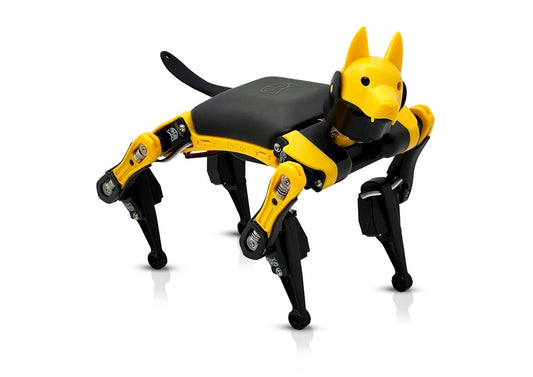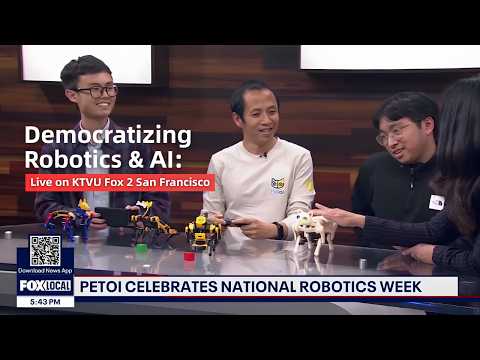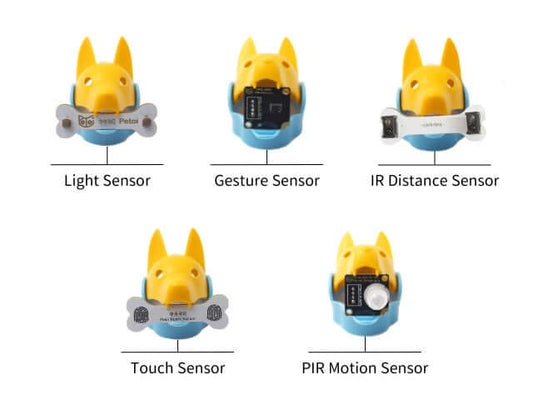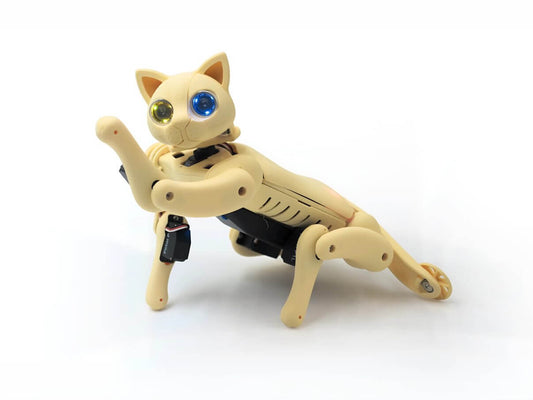

At the Google Gemma Hardware Hackathon at AGI House on October 24, 2026, two teams gave Google's Gemma a body: Quaddle, Petoi's open-source robot dog. Both apps run Gemma 4 entirely on a phone, keep working in airplane mode and move the robot over Bluetooth. One is a private health companion; the other helps parents and kids play together. They show what physical AI looks like when you can build it in a day, and they are good starting points for your own hackathon project.
Physical AI, on the device
Physical AI is AI that acts in the real world through a body: it sees, moves and reacts, instead of only answering in a chat window. On-device AI means the model runs on the hardware in front of you, here a phone, with no calls to a cloud server.
The hackathon had one rule: every project had to use a Gemma-based model running 100% on-device. Gemma 4 E2B, a small open model from Google, is light enough to run on a phone. Both teams started from opencat-gemma, Petoi's open-source starter kit for on-device Gemma.
Bolt: a private health companion with legs
Abhinav Agarwal, Rithika Gurram and Shobhit Dhamania from Clair built Bolt in one day. It lives in two places: an iPhone app, and Quaddle on the floor. Together with a Clair Health bracelet, it closes the full physical AI loop, with no cloud anywhere in it.
- Sense: the bracelet streams live health data to the phone over Bluetooth. It's also a controller: double-tap it, and Quaddle tries a backflip.
- Think: Gemma 4 E2B runs on the iPhone's GPU through LiteRT-LM, next to an on-device activity model. Gemma writes short insight cards and answers questions about your data. Asked "How is my heart doing right now?", it compared the current heart rate with the wearer's own baseline and answered in 3.5 seconds, on the phone.
- Act: the app sends moves to Quaddle over Bluetooth (wave, walk, flip), and a 3D companion on screen mirrors each one. Wave at it, and Quaddle waves back, in the app and on the floor.
- Privacy: the team demoed it in airplane mode. Nothing is sent to a server.
Why Quaddle? In their own words, Abhinav and Rithika came "wanting to build a health companion, and there we ran into Petoi Quaddle robot, and it made our health companion complete." On building with it: "It was actually pretty easy to use, and everything was straightforward, and any novice can begin to do experiments on this. Open source things like these are a good starting point for somebody who wants to learn robotics." And: "I think tools like these should be in labs."
Bolt is open source under the MIT license: github.com/abhinav30219/boltpublic. It's a hackathon prototype, not a medical device. The public version works with any standard Bluetooth heart-rate device.
Family Petoi: "Let's go to the water bottle"
Kidd, Xijia, Ever and Joseph Yin built Family Petoi to bring parents and kids together around a robot. Speak a request, and Quaddle walks to the object.
- The request: you speak to the app on an Android phone, in English or Chinese.
- The eyes: the phone's camera looks at the floor, and an on-device object detector finds both the object and the robot.
- The AI model: Gemma 4 E2B, running on the phone, reads your request and tells Quaddle which object to walk to. The app then walks Quaddle there a few steps at a time, checking the camera after each step.
- The plan: next, the phone would introduce the object and suggest a game for parent and child to play with it. The team didn't finish this part at the hackathon.
The team built it, debugged it, and prepared their demo in about five hours, with agentic coding in Cursor. "It has all the API for controls," Kidd said of Quaddle. "Easy to use, low cost." The code is on GitHub: github.com/kiddjacky/family_petoi.
Two apps, one pattern
| Bolt | Family Petoi | |
|---|---|---|
| Phone | iPhone | Android (OnePlus 12) |
| AI model on the phone | Gemma 4 E2B, plus an on-device activity model | Gemma 4 E2B, plus an on-device object detector |
| Input | Live health data from a wearable band | Voice and the phone's camera |
| What Quaddle does | Acts out the companion's moves | Walks to the object you name |
| Robot link | Bluetooth | Bluetooth |
| Internet needed | No | No |
In both, the phone is the brain and Quaddle is the body. The phone runs the models and sends commands, and the robot turns them into movement in the room.
Why run AI on the device?
- Privacy: health data and camera images stay on the phone.
- It works anywhere: no Wi-Fi, no signal, no problem. Both demos ran in airplane mode.
- No server to pay for: there are no cloud API calls, so a classroom or a family can keep it running without a usage bill.
Ideas for your next hardware hackathon
Both teams started from a working phone-to-robot loop and spent the day on one idea. Three you can try the same way:
- Talk to the robot: say what you want, and Gemma turns it into robot moves. opencat-gemma does this out of the box, so you can spend the day on personality, games or new tricks.
- A companion that reacts to data: feed a wearable, the phone's motion sensors or another data source into Gemma, and let the robot act out what it finds, as Bolt does with heart rate.
- Go to the thing: pair the phone's camera and an on-device object detector with Gemma, and send the robot to what you name, as Family Petoi does. Add a game, a delivery or a "find my keys" mode.
Build your own with opencat-gemma
opencat-gemma gives you two working demos, so you can skip the setup and start on your own idea.
- Phone demo: Gemma runs in Chrome on an Android phone (LiteRT-LM and WebGPU), and the robot connects over Bluetooth. Open the hosted demo page, load the model (a one-time 2 GB download, no login), type a request and the robot does it. To check Gemma on your phone without a robot, use the test page.
- Laptop demo: Gemma runs in Ollama, written in Python, and the robot connects over USB, Bluetooth or Wi-Fi.
- Safe by design: every command Gemma writes is checked against an allowlist before it reaches the robot, and a stop button (or Ctrl+C) makes the robot stand still.
- Robots: verified on Bittle X V2 and Quaddle. Nybble Q is in the code but not yet verified on hardware. The phone demo has only been tested on a Pixel 7 Pro, and the laptop demo on macOS.
New to coding? Petoi robots can also be coded with blocks, in your browser with Petoi Web Coding Blocks or on iPhone and iPad with the free Petoi Portal app, then in Python and C++.
Build it on a Petoi robot: Quaddle, the robot both teams used, is open for late pledges on Kickstarter, and Bittle X V2 is a programmable robot dog you can build yourself or get pre-assembled. opencat-gemma is verified on both.
FAQ
Can Google Gemma run on a phone and control a robot?
Yes. In both hackathon projects, Gemma 4 E2B runs entirely on the phone and the app talks to Quaddle over Bluetooth. Petoi's open-source opencat-gemma starter kit does the same on an Android phone in Chrome, or on a laptop with Ollama.
Do these physical AI demos need an internet connection?
No. Both teams demoed their apps with the phone in airplane mode. The network is only needed to download the code and the model once.
Which Petoi robots work with opencat-gemma?
Bittle X V2 and Quaddle are verified on hardware. Nybble Q is supported in the code but not yet verified on hardware.
What can I build with a Petoi robot at a hardware hackathon?
Start from a working loop and add one idea: voice commands turned into robot moves, a companion that reacts to wearable or phone sensor data, or a robot that walks to an object the phone's camera finds. Both teams on this page built theirs in a day.
Thank you to Lu Wang and the Google Gemma team, and to AGI House, for a hackathon that put small on-device models into real robots. Built something with opencat-gemma? Open an issue or pull request on the repo, and we may feature it here.